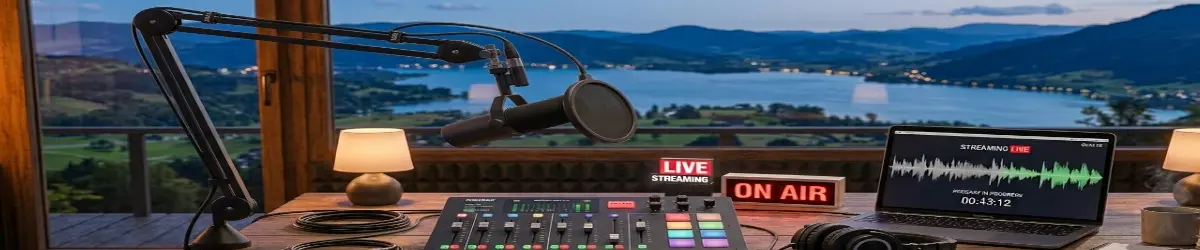
Facebook Live Sessions: How
2026-06-11
🎥 Facebook Live Sessions: Broadcasting Your Voice to the World
There was a time when sharing information with a large audience required expensive equipment, a television station, or a radio network. Today, anyone with a smartphone and an internet connection can reach people across the globe in real time.
Facebook Live has become one of the simplest ways to share ideas, teach skills, discuss projects, host Bible studies, review products, or simply connect with friends and followers.
For content creators, writers, educators, and hobbyists, live broadcasting opens a new doorway for communication.
🔑 What Is Facebook Live?
Facebook Live is a feature that allows users to stream video directly to their Facebook profile, page, group, or community.
Unlike a traditional video upload, viewers can watch and interact while the broadcast is taking place. Comments, questions, reactions, and discussions happen in real time, creating a much more personal experience.
🔑 Why Use Facebook Live?
Live broadcasting offers several advantages:
- Direct communication with your audience
- Real-time questions and answers
- Greater engagement than ordinary posts
- Ability to demonstrate projects and workflows
- Opportunity to build a community around your interests
Whether you are discussing Linux, reviewing a game, sharing a recipe, teaching a skill, or discussing your latest writing project, live video allows your audience to participate rather than simply observe.
🔑 Going Live From a Smartphone
Most users will find the smartphone method the easiest.
- Open the Facebook app.
- Tap What’s on your mind?
- Select Live Video.
- Allow camera and microphone permissions.
- Add a title and description.
- Choose who can view the broadcast.
- Tap Go Live.
Within seconds, your broadcast is available to viewers.
🔑 Going Live From a Computer
Desktop broadcasting offers additional flexibility.
Using a computer allows you to:
- Share your screen
- Present slides
- Demonstrate software
- Switch between cameras
- Display overlays and graphics
- Stream professional presentations
Many creators use software such as OBS Studio to create a more polished experience.
🔑 Ideas for Future Broadcasts
The hardest part is often deciding what to talk about.
Consider broadcasting:
Linux Demonstrations
Show how you configure your desktop environment, install software, customize workflows, or troubleshoot common issues.
Writing Sessions
Share your writing process, discuss story development, or work on a chapter while interacting with readers.
AI Discussions
Demonstrate prompt engineering, AI-assisted research, image generation, or content creation.
Bible Studies
Read and discuss Scripture, share devotional thoughts, or explore Church history and apologetics.
Gaming Sessions
Play a favorite game while discussing strategies, reviews, or industry news.
Project Updates
Provide regular progress reports on personal projects and creative endeavors.
🔑 A Word About Preparation
A successful broadcast does not require perfection.
However, a few simple steps can improve the experience:
- Test your microphone.
- Ensure a stable internet connection.
- Reduce background noise.
- Prepare a simple outline.
- Have a clear topic.
- Begin with a brief introduction.
Viewers appreciate authenticity far more than expensive equipment.
🔑 Final Thoughts
Live broadcasting is one of the most powerful communication tools available to ordinary people. Whether your goal is education, entertainment, ministry, storytelling, or community building, Facebook Live provides a direct connection between creator and audience.
The technology is readily available.
The audience is waiting.
Sometimes all that remains is pressing the Go Live button.
“Let your light shine before others, that they may see your good deeds and glorify your Father in heaven.” — Matthew 5:16
Happy broadcasting.
💬 Comments