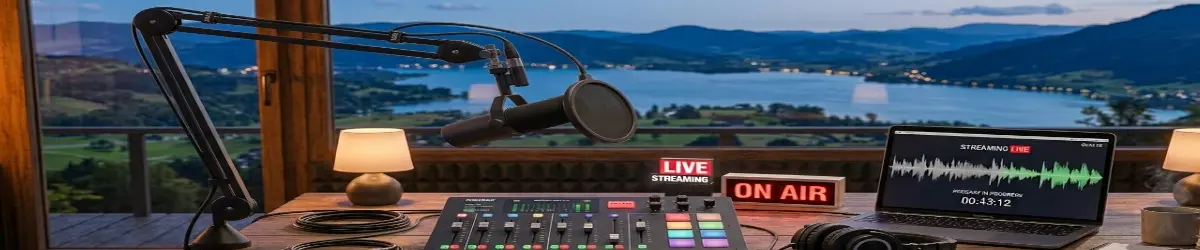
OBS Studio – Professional Streaming and Recording for Everyone
2026-06-21
🎥 OBS Studio
OBS Studio is one of the most popular free and open-source applications for screen recording, livestreaming, and video production. Whether you are creating tutorials, recording gameplay, producing church broadcasts, teaching online classes, or running a podcast, OBS Studio provides professional-grade tools at no cost.
🔑 What Is OBS Studio?
OBS Studio (Open Broadcaster Software) is a powerful multimedia application that allows users to:
- Record their screen
- Stream live video
- Capture webcams
- Mix audio sources
- Create professional scene layouts
- Add overlays, graphics, and effects
It is available for Linux, Windows, and macOS.
🔑 Why OBS Studio Is Popular
OBS Studio has become the standard choice for many content creators because it offers:
- Free and open-source licensing
- No watermarks
- No subscription fees
- Professional-quality recordings
- Extensive plugin support
- Cross-platform compatibility
Many YouTubers, educators, churches, gamers, and businesses rely on OBS Studio daily.
🔑 Common Uses
🎮 Gaming
Gamers use OBS Studio to:
- Record gameplay
- Stream live tournaments
- Create walkthrough videos
- Produce reviews and tutorials
🎓 Education
Teachers and trainers use OBS Studio to:
- Record lessons
- Create online courses
- Conduct webinars
- Produce educational videos
⛪ Church Media
Churches use OBS Studio for:
- Livestreaming services
- Recording sermons
- Broadcasting conferences
- Creating devotional content
🎙️ Podcasts
Podcasters can:
- Record video podcasts
- Mix multiple microphones
- Add branding graphics
- Stream live episodes
🔑 Understanding Scenes
Scenes are one of the most important concepts in OBS Studio.
A scene is a collection of visual elements displayed together.
Examples:
Intro Scene
- Church logo
- Countdown timer
- Background music
Presentation Scene
- Webcam
- Presentation slides
- Lower-third graphics
Interview Scene
- Multiple webcams
- Guest video feeds
- Audio controls
Users can switch between scenes instantly during a livestream.
🔑 Sources
Sources are the building blocks of scenes.
Common sources include:
- Display Capture
- Window Capture
- Browser Sources
- Images
- Video Files
- Webcams
- Audio Devices
- Text Overlays
Multiple sources can be combined into a single professional presentation.
🔑 Audio Capabilities
OBS Studio provides powerful audio controls.
Features include:
- Noise suppression
- Audio filters
- Compression
- Gain control
- Multiple audio tracks
- Microphone monitoring
Good audio quality is often more important than video quality for audience engagement.
🔑 Streaming Platforms
OBS Studio supports many streaming services including:
- YouTube
- Twitch
- Facebook Live
- Kick
- Custom RTMP servers
Users simply enter their stream key and begin broadcasting.
🔑 Recording Features
OBS Studio can record:
- Full desktop sessions
- Individual applications
- Webcams
- Presentations
- Tutorials
- Podcasts
Recordings can be saved in various formats for later editing.
🔑 OBS on Linux
OBS Studio works exceptionally well on Linux and is widely used by open-source enthusiasts.
Benefits include:
- Excellent performance
- Native Linux support
- Hardware acceleration options
- Integration with modern desktop environments
- Large community support
For many Linux users, OBS Studio is the preferred solution for creating professional video content.
🔑 Helpful Tips for Beginners
- Start with simple scenes.
- Test audio before recording.
- Use a headset when possible.
- Record short practice videos.
- Organize scenes logically.
- Keep backups of your OBS profiles.
- Learn keyboard shortcuts.
🔑 Final Thoughts
OBS Studio proves that professional broadcasting tools do not have to be expensive. With its flexibility, powerful features, and active community, it has become one of the most important content creation tools available today.
Whether you are a teacher, gamer, podcaster, church media volunteer, or aspiring creator, OBS Studio provides everything needed to produce high-quality recordings and livestreams from a single application.
“Create. Record. Stream. Share your message with the world.”
Related Topics
- Streaming
- YouTube Creation
- Podcasting
- Video Editing
- Audio Production
- Screen Recording
- Church Media
- Linux Content Creation