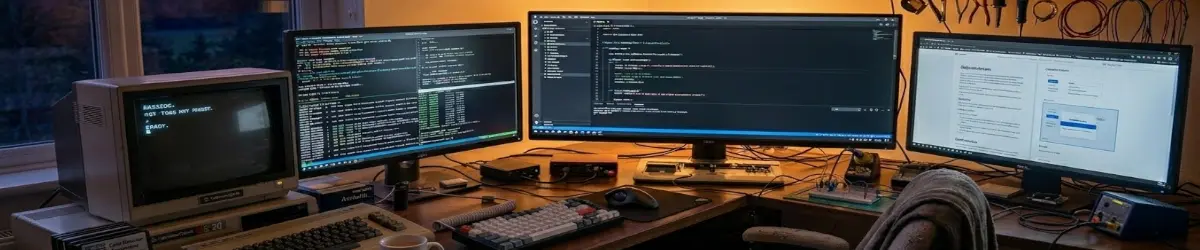
MX Linux 25.2 Infinity.
2026-08-31
A Serious Linux Distribution for Seriously Old Hardware — Giving Old Hardware a New Lease on Life.
There is a particular satisfaction that comes from taking an ageing laptop that most people would consider obsolete, installing a modern Linux distribution on it, and discovering that the machine still has plenty of life left in it.
That is exactly what I have been doing with MX Linux 25.2 “Infinity”.
And in my case, this is not simply an experiment.
This is the machine on which PlebMachine is tested.
It is also the machine on which I write PlebWare articles — including this one.
The hardware is hardly spectacular by modern standards.
It is an HP 15 laptop with an Intel Celeron N3060 processor and 4 GB of RAM.
The Intel Celeron N3060 is a modest 2016-era mobile processor with two cores and two threads, a 1.60 GHz base frequency and a burst frequency of up to 2.48 GHz.
In the Windows world, specifications like these can make an old laptop feel as though its useful life has already expired.
Linux tells a different story.
And MX Linux tells an especially interesting version of that story.
MX Linux 25.2 Infinity.
MX Linux 25.2 “Infinity” is part of the MX-25 generation, which moved the distribution from Debian 12 “Bookworm” to Debian 13 “Trixie”.
That change is significant.
MX retains the conservative, dependable foundations associated with Debian while gaining a substantially newer software base.
MX Linux 25 introduced the Xfce 4.20 desktop, updated MX Tools, a Qt 6 port of relevant MX utilities, the new mx-updater, improvements to the installer and a number of other changes designed to bring MX forward without abandoning its traditional philosophy.
For MX users, this is essentially the “Debian-plus” approach.
You get Debian underneath.
Then MX builds a practical desktop operating system around it.
That distinction matters.
MX Linux is not simply Debian with Xfce installed.
The MX developers have created their own collection of tools, configuration utilities, installers, package-management helpers, live-system utilities and customisations.
The result is an operating system that feels deliberately assembled rather than merely put together.
Why This Matters on Old Hardware.
The Linux community has long regarded MX Linux as one of the better choices for breathing life into ageing computers.
That reputation is not difficult to understand.
A lightweight desktop environment combined with a comparatively conservative Debian foundation makes a very practical combination.
The MX Linux project itself describes its Xfce edition as a midweight desktop designed to be fast and low-resource while retaining a traditional, highly configurable desktop experience. MX also provides its own collection of configuration tools, package-management facilities, themes, wallpapers and other utilities.
On older hardware, every little bit helps.
A desktop environment does not have to look primitive simply because the computer is old.
That is one of Xfce’s greatest strengths.
It gives the user a conventional desktop with panels, menus, windows, workspaces, launchers and extensive configuration options without demanding the resources of a much heavier desktop environment.
And on this HP 15, that makes a real difference.
Xfce 4.20 — The PlebMachine Desktop.
For PlebMachine, Xfce is particularly important.
PlebMachine is designed around the idea that the desktop itself can become an intelligent working environment.
It needs workspaces.
It needs panels.
It needs launchers.
It needs wallpapers.
It needs configuration tools.
It needs to be able to change the desktop environment according to the user’s cognitive or working mode.
That makes Xfce an excellent foundation.
Xfce 4.20 provides the traditional desktop structure that PlebMachine needs while remaining light enough to operate comfortably on modest hardware.
MX Linux 25 also brought improvements to the Whisker application menu and other Xfce integration, while maintaining MX’s extensive customisation capabilities.
This is an important point.
PlebMachine does not need to replace Xfce.
It works with it.
PlebMachine adds an orchestration layer over the desktop rather than attempting to reinvent the desktop underneath it.
That is one reason MX Linux makes such a good testing platform for the project.
Four Gigabytes of RAM — Is It Really Enough?
This is where things become interesting.
The laptop has only 4 GB of RAM.
That is not a lot of memory in 2026.
Modern web browsers can consume enormous amounts of memory, particularly when several tabs containing JavaScript-heavy websites are open.
So it would be misleading to claim that 4 GB suddenly becomes equivalent to 8 or 16 GB simply because Linux is installed.
It does not.
The hardware remains the hardware.
What MX Linux does exceptionally well is make sensible use of the resources that are actually available.
My installation uses zram, providing compressed memory within RAM and helping to reduce the pressure created when physical memory becomes heavily occupied.
That is particularly valuable on a machine like this.
Swap and zram are not magic.
They cannot turn a Celeron N3060 into a modern Core i7.
What they can do is help prevent a memory shortage from immediately becoming a completely unusable desktop.
And that distinction is important.
The “Under 2 GB at Idle” Question.
One of the things that attracted me to MX Linux for this particular experiment was its resource-conscious approach.
On my installation, the desktop can sit at under approximately 2 GB of RAM usage at idle, depending on exactly what services and applications are running.
That leaves a meaningful amount of memory available for actual work.
And actual work is what this machine does.
I use it for:
- Writing PlebWare articles.
- Testing PlebMachine.
- Research.
- Web browsing.
- Working with Markdown.
- Managing files.
- Testing Linux software.
- General desktop work.
This is not a theoretical benchmark.
It is a working computer.
And that is arguably a more useful test than simply publishing a collection of synthetic benchmark numbers.
Debian 13 “Trixie” Underneath.
The other major attraction of MX Linux 25 is its foundation.
Debian 13 “Trixie” provides the upstream base.
That means MX benefits from the work being done by one of the most respected projects in the Linux ecosystem while adding its own tools and philosophy on top.
The result is a fascinating combination.
On one side there is Debian’s conservative approach to system reliability.
On the other there is MX Linux’s willingness to provide graphical tools that make many administrative tasks considerably easier.
This is one of MX’s greatest strengths.
You don’t have to choose between a system that is friendly and one that gives you control.
MX attempts to provide both.
The Kernel Question.
MX Linux 25 brought a substantially newer kernel generation to the standard editions.
The standard MX-25.2 editions use the Linux 6.12.90 Debian kernel, while specialised Advanced Hardware Support editions use different kernels appropriate to their purpose.
For older hardware, kernel support can matter enormously.
A distribution can have a lightweight desktop and still be frustrating if the kernel or graphics stack does not properly support the hardware.
MX’s approach gives the user a comparatively modern Linux foundation without requiring the user to abandon Debian’s stable ecosystem.
That is another part of the “Debian-plus” advantage.
Systemd or SysVinit?
MX Linux has historically been unusual in its approach to init systems.
Rather than forcing every user into a single philosophy, MX has maintained support for alternatives.
The MX-25 generation initially shipped with systemd as the standard, but the subsequent MX 25.1 generation reintroduced the dual-init arrangement, allowing users to choose systemd or SysVinit variants.
For ordinary users, this may not matter very much.
For Linux enthusiasts, system administrators and people who deliberately choose their init system, however, it is significant.
It is another example of MX’s broader philosophy:
Give the user control.
MX Tools — One of MX’s Secret Weapons.
If there is one thing that repeatedly separates MX Linux from a plain Debian installation, it is MX Tools.
MX provides graphical utilities for tasks that can otherwise require considerable command-line knowledge.
This does not mean the command line disappears.
It means that the user is given choices.
The MX ecosystem includes tools for areas such as:
- Package management.
- Repository management.
- Boot options.
- Live USB creation.
- Snapshotting.
- User configuration.
- Hardware configuration.
- System services.
- Kernel management.
- Desktop customisation.
MX Linux 25 also modernised parts of this tooling, including moving relevant MX Tools components to Qt 6 and replacing the older apt-notifier updater with mx-updater.
For an experienced Linux user, these tools save time.
For a less experienced user, they can make Linux considerably less intimidating.
What About Real-World Performance?
This is where I think MX Linux deserves more credit than it sometimes receives.
A review written on a modern Ryzen or Core i7 machine can tell you whether a distribution is polished.
It cannot necessarily tell you how well that distribution makes use of limited hardware.
My HP 15 is a much more interesting test.
The Celeron N3060 is not fast.
The 4 GB of RAM is not generous.
Yet the machine remains perfectly useful for the tasks for which I actually use it.
That includes writing this article.
That fact alone tells me something.
MX Linux is not making the hardware powerful.
It is simply not wasting the hardware that is already there.
That is an important distinction.
The Reality Check — It Is Still Old Hardware.
There is a danger when reviewing lightweight Linux distributions of becoming too enthusiastic.
So let’s be honest.
This laptop is not going to become a gaming powerhouse.
It is not going to make 4K video editing pleasant.
It is not going to chew through enormous compilation jobs.
And modern websites can still push a Celeron N3060 and 4 GB of RAM very hard.
Linux cannot repeal the laws of physics.
What it can do is give an old computer an environment in which its remaining capabilities are still useful.
That is exactly what I want from it.
Why MX Linux Is Particularly Suitable for PlebMachine.
There is another reason this particular installation matters to me.
PlebMachine needs a reliable laboratory.
It is not enough to test PlebMachine on powerful modern hardware.
If PlebMachine is going to help ordinary people make better use of their computers, then it needs to work on machines that ordinary people actually have.
That means older laptops.
That means limited RAM.
That means modest processors.
That means hardware that somebody might otherwise throw away.
The HP 15 therefore makes an excellent PlebMachine test station.
MX Linux provides the foundation.
Xfce provides the desktop.
PlebMachine provides the orchestration.
And together they create something quite interesting:
an old laptop that is still doing useful work in 2026.
MX Linux 25.2 Infinity — My Verdict.
After installing MX Linux 25.2 “Infinity” and putting it to practical use, my verdict is straightforward.
MX Linux remains one of the strongest choices for people who want to extend the useful life of older hardware.
Its combination of:
- Debian 13 “Trixie”.
- Xfce 4.20.
- A modern 6.12-series kernel.
- MX Tools.
- A lightweight desktop.
- Excellent configuration options.
- zram and sensible memory management.
- Systemd and SysVinit choices.
- A mature Debian package ecosystem.
makes it an unusually compelling desktop operating system.
But the most important part of my review is not a feature list.
It is the fact that I am using this machine to do real work.
I am writing on it.
I am researching on it.
I am developing and testing PlebMachine on it.
And I am writing this review on it.
That is a better endorsement than any benchmark graph I could put on a page.
The PlebWare Recommendation.
If you have an old laptop sitting in a cupboard because somebody told you it is “too old for Linux”, don’t throw it away just yet.
Download MX Linux.
Try the Xfce edition.
Give the machine a chance.
You may discover that what you thought was obsolete hardware is simply hardware that was being asked to do too much by a modern operating system.
MX Linux takes a different approach.
It asks:
What can this computer still do?
That is a much better question.
And in the case of my HP 15 with its Celeron N3060 and 4 GB of RAM, the answer is:
Quite a lot.
Final Thoughts.
There is something philosophically satisfying about this.
Technology has developed a habit of convincing us that yesterday’s hardware is worthless.
Linux challenges that assumption.
MX Linux takes that challenge seriously.
And PlebMachine takes it one step further.
Instead of asking how quickly we can replace old computers, perhaps we should sometimes ask how intelligently we can use them.
My little HP 15 is not a modern computer.
It doesn’t pretend to be one.
It doesn’t need to.
It is a working Linux computer.
It is a PlebMachine laboratory.
It is a writing machine.
And, today, it is also the machine on which this review was written.
For me, that makes MX Linux 25.2 Infinity much more than another Linux distribution.
It is proof that old hardware can still have a future.