The Story Behind PlebMachine Pro — From Personal Need to Context-Aware Desktop
2026-10-10
PlebMachine Pro
Your Computer Should Serve You — Not the Other Way Around
The Story Behind PlebMachine Pro
PlebMachine Pro began as a personal project. I wanted my own computer to work better for me, to make it easier to move between the different activities that fill my day, and to give me a desktop environment that could adapt to the way I work.
What started as an attempt to improve my own computing experience gradually developed into a broader idea: a context-aware desktop environment that helps people organise their computer around the activity they have chosen.
This is the story of how that idea developed, what I wanted to achieve, and why I eventually decided to share it with other people.
Where It All Began
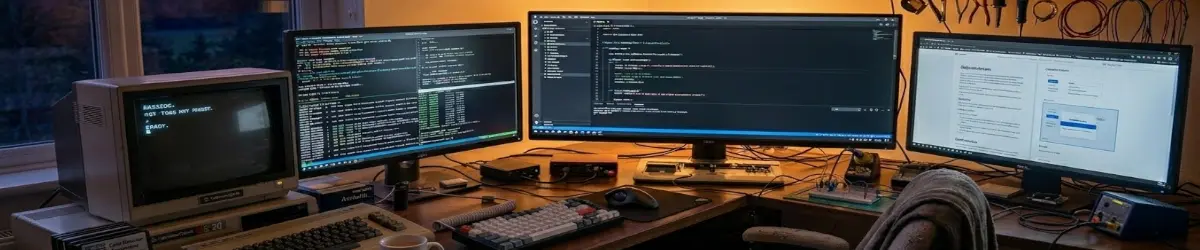
My relationship with computers goes back to 1982, when I started using a Commodore VIC-20.
A lot has changed since then. Computers have become incredibly powerful, operating systems have evolved, and the software available to us today would have been difficult to imagine back then.
Over the years, computers became an essential part of how I work, create, learn, and explore ideas.
I’m a bit of a jack-of-all-trades. I enjoy writing, graphic design, coding, research, and working on all sorts of creative and technical projects.
An important part of my story is the way I work. I don’t necessarily spend an entire day doing one thing. I might spend an hour creating graphics, switch to writing, return to graphics an hour or two later, and then spend a couple of hours coding before moving on to something else.
That’s a perfectly normal working day for me.
My interests and projects overlap. My attention moves between different activities, and I value the freedom to follow that process. But every time I change what I’m doing, the tools I need may change as well.
When I’m writing, I want my writing applications and research material close at hand. When I’m creating graphics, I need a different collection of tools. When I’m coding, I want my development environment and technical resources readily available.
Linux already allowed me to run all those applications. That was never the problem.
The question I started asking myself was this:
What if my desktop could organise itself around what I wanted to do, instead of expecting me to organise everything around the desktop?
That question became the starting point for PlebMachine.
Building Something for Myself
I began experimenting with my own Linux desktop.
I wanted different working modes for different activities. I wanted relevant applications to be easier to find. I wanted the desktop to feel organised, attractive, and appropriate for the task at hand.
And yes, I like eye candy!
I don’t believe a productive working environment has to look boring. If I’m going to spend hours at a computer, I want to enjoy the experience as well as get the work done.
But appearance was only part of the idea.
I wanted to make switching between activities more natural, reduce the effort involved in finding the right tools, and explore whether the desktop itself could offer useful assistance without taking control away from me.
As I experimented, the project grew. What began as a way to improve my own computing experience developed into a more structured environment, with working modes, different levels of assistance, application access, and tools designed around the way people use their computers.
At some point, I realised I was no longer simply customising a desktop. I was developing a different way of organising the desktop experience.
That was when PlebMachine began to take shape as a context-aware desktop environment.
What Does Context-Aware Mean?
The phrase may sound technical, but the idea is straightforward.
Imagine you’re sitting at your computer and decide to write an article. You select Author mode. An hour later, you want to create an illustration for that article, so you switch to Graphics mode. Later, you might want to write some code, so you select Developer mode.
The point isn’t that Linux couldn’t do these things before. Of course it could.
The point is that PlebMachine gives you a way to organise your computing experience around the activity you’ve chosen. It helps establish a working context that makes relevant tools and resources easier to reach.
PlebMachine provides twelve working modes:
- Everyday
- Author
- Study
- Research
- Graphics
- Music
- Video
- Broadcast
- AI Helpers
- Developer
- Accounting
- Leisure
These modes cover a broad range of activities, from everyday computer use to creative production, education, research, software development, financial work, and entertainment.
They aren’t twelve separate operating systems, and they don’t restrict you to particular applications. They are ways of organising access to tools and resources relevant to what you’re doing.
If you want to launch an application that isn’t associated with your current mode, you remain free to do so. Your installed applications remain yours to use.
That freedom is essential. The user must remain in control.
Four Environments, Not One Way of Working
As the project developed, I realised that people don’t all want the same kind of desktop experience.
Some people want guidance. Others want assistance but also plenty of freedom. Experienced users may prefer additional controls. And some people simply want to get on with their work without reminders or interruptions.
PlebMachine Pro therefore provides four distinct working environments: AEGIS, NEXUS, APEX, and ZENITH.
AEGIS provides a more guided introduction for people who are new to the system.
NEXUS provides a supported working environment with features such as cognitive breaks and reminders intended to encourage healthier working habits.
APEX provides a more advanced environment for users who want additional controls and a different level of interaction.
ZENITH is intended for users who prefer an uninterrupted working experience, with minimal intervention.
These environments offer different approaches to using the desktop. They are not a measure of anyone’s intelligence, ability, or worth.
There is also an important distinction: your working mode and your working environment are two different choices.
I can remain in ZENITH while switching from Graphics to Author and then to Developer. Or I can choose NEXUS and continue working in Author mode. I don’t have to change the way I prefer to interact with my computer simply because my work has changed.
My work changes throughout the day. My preferred working environment doesn’t necessarily need to change with it.
That separation is one of the ideas that makes PlebMachine meaningful to me.
Making Room for Beginners and Experienced Users
Linux offers enormous flexibility. That’s one of its strengths. But for someone who is new to Linux, that flexibility can sometimes be overwhelming. There may be many applications, many options, and many unfamiliar concepts to learn.
I wanted to explore a way of making the experience more approachable without removing the freedom that makes Linux so valuable.
PlebMachine includes an initial decision process called PlebDecide. It gathers a small amount of information about the user’s age, computer experience, and intended computer use to help determine an appropriate starting point and level of access.
A newcomer can begin with a more guided environment and become familiar with the system progressively. Experienced users may qualify for access to all four environments from the beginning.
The intention is to make the starting point more appropriate to the individual, rather than assuming that every person needs the same introduction.
I’m not trying to turn Linux into a system where the computer decides what you’re allowed to do. I’m trying to make the available choices easier to approach.
There is a difference between guiding someone and controlling them.
PlebMachine is intended to do the former, not the latter.
More Than Applications and Shortcuts
As PlebMachine developed, I started looking beyond the organisation of applications. We spend a great deal of time at our computers, and our working habits matter too.
That led to features such as cognitive breaks, ergonomic reminders, eye-rest prompts, and reminders to get up and move around. These features are intended to encourage healthier working habits. They don’t replace personal judgement, professional advice, or common sense.
A reminder is simply a reminder. You remain the person who decides what to do with it.
The same principle applies to recommendations and other forms of assistance. I don’t want to build software that pretends it knows everything about the person sitting in front of the screen. I want to build software that helps that person think, choose, and work more comfortably.
That brings me to one of the most important principles behind the project:
The computer does not make the decision. It helps you think through the decision.
And that leads directly to the philosophy that guides PlebMachine:
The computer assists. You decide.
Why This Could Matter to Other People
As I continued working on PlebMachine, I began to see that this idea wasn’t limited to my own workflow.
An author might write in the morning, research in the afternoon, and prepare illustrations in the evening. A graphic designer might move between image editing, vector artwork, and visual research. A video creator might need editing software, audio tools, and applications for preparing content for publication.
A musician might work with recording, mixing, and audio production. A developer might need a terminal, an editor, documentation, research tools, and development utilities. A student might need study materials, note-taking applications, and research resources. An accountant might want quick access to financial software and tools relevant to managing accounts.
And someone who simply wants to use a computer for everyday activities might appreciate having a straightforward way to find the applications they need.
These people don’t all work in the same way. They don’t all have the same technical knowledge. They don’t all want the same level of assistance.
But they all use computers to accomplish something.
That is where I see the potential of PlebMachine. Rather than designing one fixed experience and expecting everyone to adapt to it, I want to provide an environment that people can organise around their own activities and preferences.
I can’t promise that PlebMachine will suit everyone. No software can do that. But I believe the idea is worth exploring: what if the desktop were designed around the person and their work, rather than treating every user as though they had identical needs?
Linux Must Remain Linux
There is another principle I consider essential.
PlebMachine does not replace Linux. It works with the existing desktop environment, adding its own organisation and assistance without claiming ownership of the computer.
Users can continue launching their installed applications through their normal desktop facilities. They can use applications outside their current mode. And when they want to work without PlebMachine, they can switch it off and return to their original desktop.
That freedom isn’t an afterthought. It’s part of the philosophy.
I don’t want someone to install PlebMachine and feel that they’ve surrendered their computer to another system. I want them to feel that they’ve gained another way to use the computer they already own.
PlebMachine currently targets Debian-based Linux systems using the XFCE desktop, including MX Linux and SparkyLinux. Support for other desktop environments, including GNOME and KDE Plasma, is something I hope to pursue as the project develops.
I’m taking a practical approach: build for a defined environment, develop the features, and expand as the project matures.
The PlebWare Connection
PlebMachine is also connected to a wider project called PlebWare.
I see PlebWare as a publishing and learning environment that complements the desktop. PlebMachine helps organise the user’s local computing experience. PlebWare provides online articles, learning material, information, and resources related to the activities people pursue on their computers.
The two can work together.
Someone using Author mode can explore writing-related resources. Someone using Developer mode can find material relevant to development. Other modes can lead users towards information and learning resources connected to their interests.
But PlebWare isn’t only for PlebMachine users. Someone can visit the website, explore its content, and benefit from its resources without installing the desktop environment at all.
That matters to me because the wider goal is to make useful knowledge and resources accessible, not to insist that everyone must adopt my software before they can benefit from the work.
Together, PlebMachine and PlebWare reflect a broader vision: computing, learning, and creative work can support one another.
What I’ve Learned Along the Way
Building PlebMachine has taught me something about the relationship between a person and a computer.
We often accept the desktop as a fixed environment. We learn where everything is, remember which applications we need, and adapt our habits to the way the system is arranged.
But it is worth asking whether the environment could do more to accommodate us.
Could it help us organise different activities? Could it make relevant tools easier to find? Could it give a newcomer a gentler introduction without frustrating an experienced user? Could it offer assistance without becoming intrusive?
Those are the kinds of questions that have driven the development of PlebMachine.
I didn’t begin with every answer. I started with my own needs, experimented, developed new ideas, and gradually expanded the scope of the project.
And I’m still developing it. There are things to refine, more environments to consider, and more work to do as the project grows. I don’t see that as a weakness. It is part of building something real.
The important thing is to know what you’re trying to achieve and to keep that purpose in view as the details evolve.
For me, that purpose is simple: to make the computer a more useful, approachable, and adaptable working environment for the person using it.
Why I’m Sharing It
So why am I sharing PlebMachine with other people?
Because something that began as a personal solution may have value beyond my own desk.
I built it because I wanted a better way to move between graphics, writing, coding, and all the other things I do throughout the day. As the project grew, I began to see how the same approach might help authors, designers, developers, students, researchers, musicians, video makers, accountants, and everyday Linux users.
I want people to be able to explore it, decide whether it suits their needs, and use the parts that genuinely help them.
I don’t expect everybody to work the way I do. I don’t expect everybody to like the same desktop. And I certainly don’t believe that one piece of software can solve every problem.
What I do believe is that we can continue looking for better ways to make computers serve the people who use them.
It started with my own computer, my own workflow, and a desire to make my working environment fit me a little better. It developed into twelve working modes, four distinct environments, practical assistance, and a connection to a wider learning and publishing platform.
Now I want to share that journey with the Linux community and anyone else who believes that computers should adapt to people, rather than people always having to adapt to computers.
Because, in the end, this was never really about having more icons, more applications, or another layer on a desktop.
It was about the relationship between the person and the machine.
Your computer should serve you — not the other way around.
Further Reading
This article explains the thinking behind PlebMachine Pro and the way its design developed. For the earlier account of the original inspirations behind the project, including Gizmo Central, Portable Apps, and Rainmeter, read Why I Created PlebMachine?.
PlebWare — Technology should remain connected to humanity.
Otto — The Keyboard Is Mightier Than The Pen.