Why AI Image Generators Struggle to Follow Instructions
2026-08-21
Why AI Struggles to Recreate the Same Image.
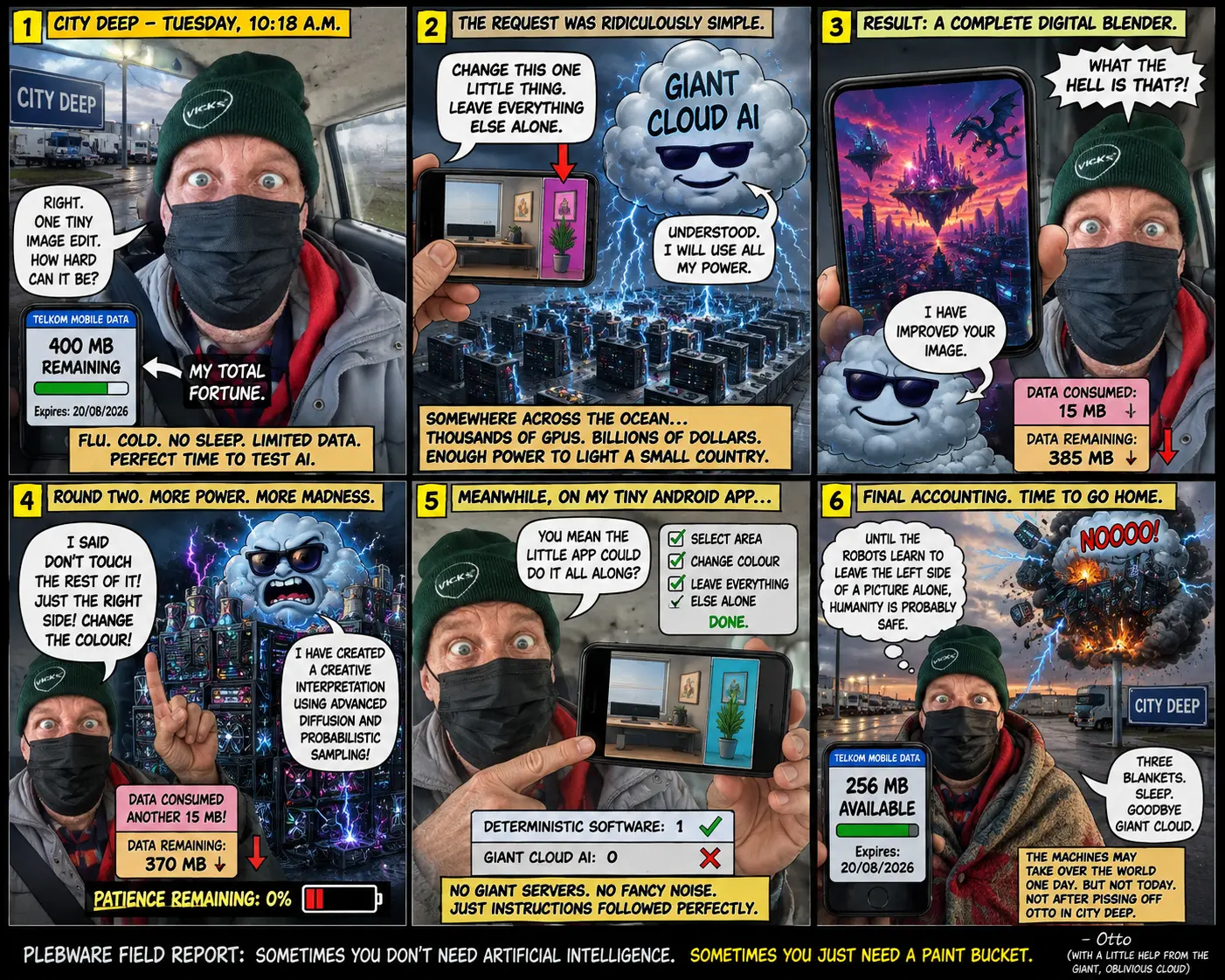
There is a peculiar moment that almost every serious AI image creator eventually experiences.
You create an image.
It is exactly what you wanted.
The composition is right. The lighting is right. The furniture is in the right place. The screen is exactly where you wanted it. There is a lovely empty area for your desktop widgets.
So you ask the AI:
“Make another one exactly like this, but change the scene.”
And suddenly your carefully designed composition has been thrown out of the window.
The monitor has moved.
The room has changed shape.
The empty space has disappeared.
The camera has mysteriously moved six feet to the left.
The thing that was supposed to occupy the left two-thirds of the image now occupies half of it.
And the AI cheerfully presents the result as though nothing has happened.
What the hell just happened?
The short answer is that an AI image generator does not think about an image in quite the same way that a human designer does.
And that difference becomes extremely important when you are trying to create a repeatable visual template.
The AI Is Not Really “Copying” Your Image.
One of the biggest misunderstandings about generative AI is the idea that it works like a very sophisticated copy machine.
It doesn’t.
A generative image model is generally reconstructing an image from learned relationships between visual patterns, concepts, text, image features, and other conditioning information. In diffusion-based systems, generation begins from a noisy starting point and progressively develops an image guided by the prompt and available controls.
That means your prompt is not a set of engineering drawings.
It is closer to a brief given to an extremely imaginative artist who has seen billions of pictures but has never actually met you.
Ask for:
“A futuristic science-fiction room with a large monitor on the left and empty space on the right.”
The model understands concepts such as:
- futuristic;
- science fiction;
- room;
- monitor;
- left;
- right;
- empty space.
But that does not necessarily mean it possesses a precise internal blueprint saying:
“The monitor must begin at pixel 0, occupy approximately 66 percent of the canvas width, and the remaining 34 percent must remain visually uncluttered.”
That distinction is crucial.
“Left” Does Not Mean “Pixel-Perfect Left.”
Humans are very good at interpreting spatial instructions.
If I tell a human graphic designer:
“Put the monitor on the left two-thirds of the image and leave the right third clear.”
there is little ambiguity.
The designer understands that the composition itself is the requirement.
An AI may instead interpret the instruction more semantically:
“A monitor should appear somewhere toward the left side.”
Those two instructions sound almost identical to a human.
They are not equivalent to an image-generation model.
This is why phrases such as:
“on the left”
“in the upper-right corner”
“occupying two-thirds of the image”
and
“leave the right third completely unobstructed”
can still produce surprisingly inconsistent results.
The More Instructions You Give It, the More Things Can Go Wrong.
We naturally assume that giving an AI more instructions will make it more accurate.
Sometimes it does.
Sometimes it makes things worse.
Suppose we ask for:
A 3026 AD science-fiction room, with a huge curved monitor occupying the left two-thirds, a clean empty area on the right for a Conky display, a floating holographic keyboard, three robots, a window showing Mars, blue atmospheric lighting, glowing cables, a cybernetic cat, a coffee machine, books, plants, atmospheric fog, reflective flooring, and a detailed mechanical ceiling.
That is a lot of instructions.
The model now has to decide what matters most.
And there is no guarantee that the things you consider structural will receive the priority you intended.
The giant monitor may shrink.
The empty area may fill with furniture.
The holographic keyboard may become a physical keyboard.
The Mars window may move.
And your carefully requested cybernetic cat may become a cybernetic fox.
This isn’t necessarily because the model is “stupid.”
It is because the task involves many interacting constraints.
And Then There Is the Really Annoying Problem.
The Same Prompt Does Not Necessarily Produce the Same Image.
You can copy your prompt.
Paste it into the same image generator.
Press Generate.
And get something different.
This is not necessarily a malfunction.
Generative image systems are designed to produce new samples rather than retrieve a single stored picture.
Consequently, even identical instructions can result in different compositions.
The result can vary in:
- camera position;
- object placement;
- proportions;
- lighting;
- colour;
- facial features;
- architecture;
- background details;
- perspective;
- texture;
- and overall composition.
This is why “same prompt” does not mean “same image.”
Some systems provide additional controls such as seeds, reference images, image-to-image generation, masks, structural guidance, or other conditioning mechanisms.
Those can help.
But they still don’t magically turn a generative model into Photoshop.
So How Do We Make AI Behave More Like a Designer?
The answer is to stop asking the AI to solve everything at once.
Instead, separate the job into two stages.
Stage One: Build the Template.
Tell the AI that you are not asking for the final artwork.
You are asking it to create a reusable composition.
The important things at this stage are:
- canvas dimensions;
- camera position;
- perspective;
- major structural areas;
- object proportions;
- reserved empty space;
- visual hierarchy;
- lighting direction;
- and the boundaries between functional areas.
The decorative details are secondary.
Stage Two: Create Variations Within the Template.
Once you have a composition that works, use it as a reference.
Then change:
- the room;
- the technology;
- the time period;
- the lighting;
- the colour palette;
- the weather;
- the science-fiction theme;
- or the objects displayed on the monitor.
The architecture of the composition should remain stable.
That is much closer to how a human designer would work.
You don’t redesign the entire desktop every time you want a different wallpaper.
You keep the template and change the artwork inside it.
A Practical AI Template Prompt.
For a PlebWare-style desktop wallpaper, I would start with something like this:
Create a reusable science-fiction desktop wallpaper composition at exactly 1376 × 768 pixels.
The scene represents a sophisticated human technology environment in the year 3026 AD.
Design the image as a fixed visual template, not as a finished decorative illustration.
The composition must have two clearly defined functional zones.
LEFT ZONE — approximately two-thirds of the image width.
A large primary computer monitor or futuristic display occupies the left two-thirds of the composition. It must be visually dominant and extend across most of this area. The monitor should have a clearly defined rectangular or gently curved screen surface suitable for displaying changing wallpaper artwork.
RIGHT ZONE — approximately one-third of the image width.
Keep this area deliberately open, quiet, and visually uncluttered. Do not place important objects, characters, furniture, bright lights, holograms, text, or complex scenery in this zone.
This reserved area is intended for a desktop Conky system-information display, so it must provide sufficient visual contrast and relatively simple background detail.
The boundary between the two zones should remain consistent and obvious.
Use a cinematic 3026 AD science-fiction environment, with advanced materials, subtle futuristic technology, believable architecture, sophisticated indirect lighting, and realistic depth.
Do not overcrowd the scene.
Do not place objects in the reserved Conky area.
Do not centre the main monitor.
Do not make the composition symmetrical.
Do not change the camera position.
Do not redesign the layout.
The purpose of the image is to establish a repeatable wallpaper template that can later be reused with different scenes, colours, lighting conditions, and science-fiction environments.
Composition is more important than decoration.
The spatial arrangement must remain stable.
That final sentence is particularly important.
Composition is more important than decoration.
Don’t Ask for “A Beautiful Wallpaper” First.
This is where many experiments go wrong.
If you tell the AI:
“Create a beautiful futuristic wallpaper.”
you have essentially handed the steering wheel to the model.
It will make artistic decisions.
That can be wonderful when you want inspiration.
It can be terrible when you need a production template.
Instead, tell it what must not change.
Structural requirements.
- 1376 × 768 pixels.
- Landscape orientation.
- Fixed camera position.
- Large display on the left.
- Display occupies approximately two-thirds of the canvas.
- Right third remains visually quiet.
- Right third contains no major objects.
- Right third is reserved for Conky.
- No important visual information crosses into the Conky zone.
- Perspective remains consistent.
- Horizon and major architectural lines remain consistent.
Variable elements.
These can change later:
- room design;
- wall materials;
- lighting;
- colour palette;
- futuristic technology;
- weather outside;
- planetary scenery;
- furniture;
- decorative objects;
- time of day;
- science-fiction theme.
That separation is extremely powerful.
You are effectively telling the AI:
“Here is the skeleton. You may change the clothing.”
Use a Reference Image Whenever Possible.
Once you finally get the composition you want, save it.
Don’t rely on remembering the prompt.
Don’t assume you can recreate it tomorrow.
Keep the successful image as your master reference.
Then, when your chosen AI system supports reference-image workflows, provide the original template and explicitly state:
Preserve the composition, camera position, proportions, spatial zones, monitor position, and empty Conky area. Change only the requested visual theme.
This gives the model considerably more information than text alone.
Reference-image workflows are particularly useful when the goal is to preserve a scene while changing selected elements, although maintaining both scene consistency and prompt adherence remains a difficult balancing act.
Think Like a Graphic Designer, Not a Customer.
There is another lesson hidden inside all this.
When we use an AI image generator casually, we tend to behave like customers.
We say:
“I’d like a futuristic room with a big screen.”
But when we are building a repeatable visual system, we need to think like designers.
A designer asks:
Where is the focal point?
What is the visual hierarchy?
Where will the information go?
Which areas must remain empty?
What elements are fixed?
What elements are allowed to change?
Where will text or interface elements be placed later?
That last question is especially important for desktop wallpapers.
An image can look fantastic by itself and still be a terrible desktop wallpaper.
Why?
Because desktop icons, panels, widgets, notifications, Conky information, and application windows all need somewhere to live.
A beautiful picture with important detail everywhere is not necessarily a useful desktop.
The PlebWare Lesson.
This is exactly the problem encountered when developing reusable PlebWare wallpaper designs.
The objective isn’t simply to generate one spectacular picture.
The objective is to create a visual environment that can survive repetition.
The wallpaper needs to work at different times of day.
It needs to accommodate different themes.
It needs to remain useful when desktop information is displayed over it.
And, most importantly, the underlying composition needs to remain familiar.
That changes the job completely.
The question becomes:
“How do I get AI to create a family of images that belong to the same visual environment?”
rather than:
“How do I get AI to make another cool picture?”
Those are two very different problems.
The Golden Rule.
If you remember only one thing from this article, remember this:
Don’t ask AI to recreate an image from your description when what you really need is a composition.
Create the composition first.
Save it as a reference.
Define what is fixed.
Define what is variable.
Then generate your variations.
AI is extraordinarily good at producing possibilities.
It is becoming increasingly good at following complex instructions.
But precise spatial control and reproducibility remain challenging problems, particularly when many constraints have to be satisfied simultaneously.
The trick isn’t necessarily to force the AI to become a pixel-perfect copy machine.
The trick is to change the way we ask it to work.
Give it a framework.
Give it a reference.
Give it fewer competing decisions.
And most importantly:
Tell it what must remain unchanged.
That is when AI image generation starts becoming less like rolling the dice…
…and more like working with a designer.
Image Placeholder.
Filename: ai-image-woes.webp
Suggested image: A humorous science-fiction workstation in which an AI hologram is desperately trying to reconstruct the same wallpaper several times. Multiple versions of the room should be visible, each slightly wrong: one has the monitor too small, another has it in the centre, another has filled the supposedly empty Conky area, and another has moved the camera. A frustrated human designer looks at the results in disbelief.
The image should visually communicate the central joke of AI image generation:
“I told you exactly what I wanted.”
AI: “Yes. I made something completely different.”
Final Thought.
AI image generation is not broken because it refuses to obey.
It is difficult because human instructions contain far more spatial information than language alone can conveniently express.
When we say:
“Put this here, leave that space empty, keep this object exactly the same, change only the lighting, preserve the perspective, and make the whole thing look different but still identical…”
we are asking a generative model to solve a surprisingly complicated design problem.
Understanding that changes the entire creative process.
Instead of becoming frustrated because the AI “can’t follow instructions,” we can design our prompts and workflows around what the technology is actually good at.
Generate.
Reference.
Constrain.
Preserve.
Then vary.
That is a much better way to work with generative imagery.
✍️ Othello Cody Verrocchio
ChatGPT