
Speaking To Gemini
2026-06-17
Mastering Prompt Engineering with Gemini
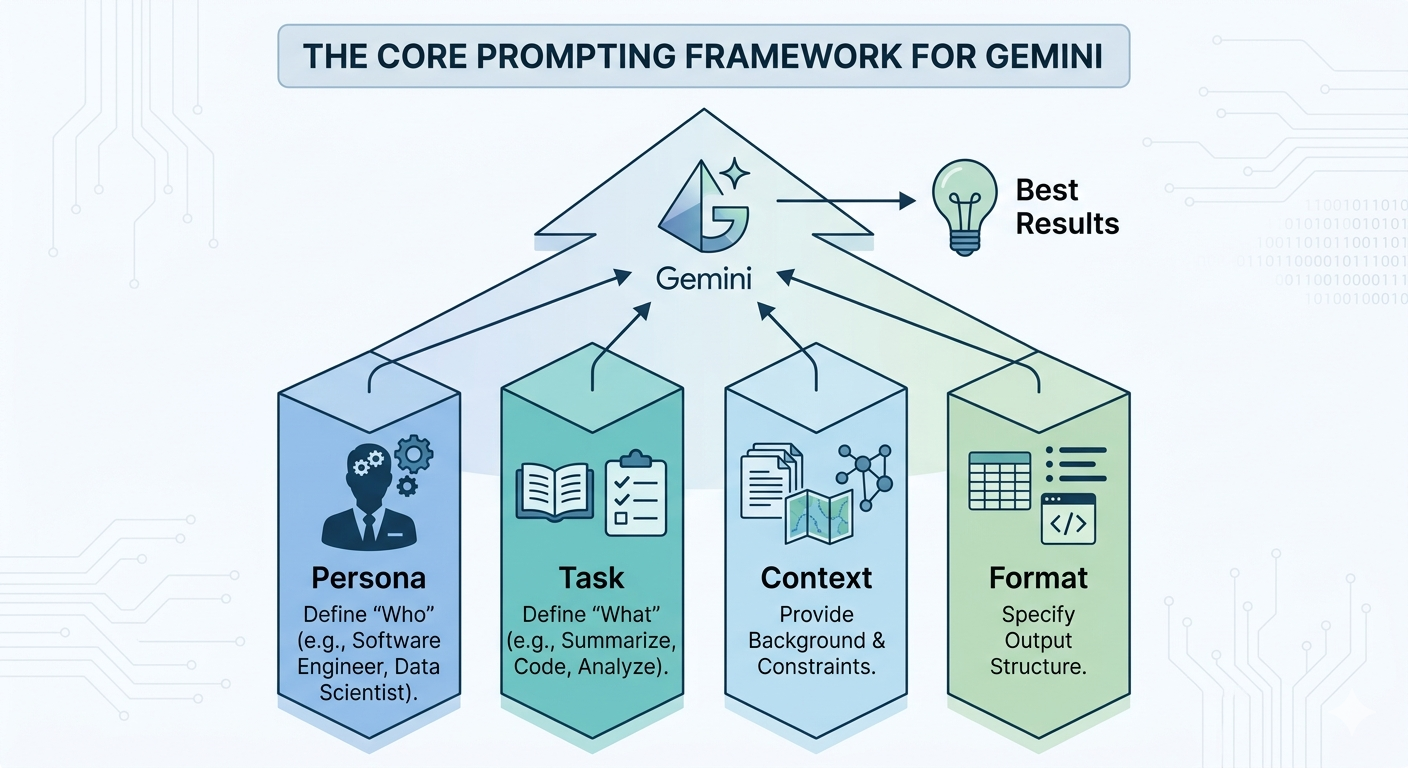
To get the best out of Gemini, think of your prompts as a bridge between your intent and the model’s reasoning capabilities. Treating Gemini like a highly capable colleague rather than a simple search engine is the key to unlocking its full potential.
1. The Core Prompting Framework
When constructing a prompt, consider the following four elements. You don’t need all of them every time, but including them for complex tasks will drastically improve your results.
- Persona: Tell Gemini who it should act as (e.g., “Act as a professional software engineer,” “Act as a creative writing coach”). This sets the tone and expertise level.
- Task: Clearly define what you want the model to do. Use action verbs like “summarize,” “write,” “analyze,” or “debug.”
- Context: Provide the necessary background information. Why are you asking this? What constraints exist? The more context you provide, the less Gemini has to guess.
- Format: Specify how you want the output structured. Do you need a table, a bulleted list, a code block, or a conversational paragraph?
2. Best Practices for High-Quality Results
Be Clear, Concise, and Direct
Gemini performs best when instructions are unambiguous. Avoid unnecessary fluff or overly persuasive language. State your goal plainly.
Use Structured Formatting
Use delimiters to separate instructions from source data. Markdown headers or XML-style tags (e.g., <context>...</context>, <instructions>...</instructions>) help the model distinguish between different parts of your prompt, leading to better reasoning.
Anchor Your Context
When providing large amounts of data (such as long documents or code), place the context first, followed by your specific instructions at the very end. Use transition phrases like, “Based on the information provided above, please…” to bridge the gap between the data and your query.
Iterative Refinement
Don’t expect perfection on the first try. If the response isn’t quite right:
- Rephrase: Try using different words to express the same goal.
- Clarify: Add missing constraints or further instructions based on the previous output.
- Break Down: If a task is complex, split it into smaller, sequential steps.
Use Few-Shot Prompting
Provide examples of what “getting it right” looks like. By showing the model a pattern, it can emulate that style and structure in its response.
3. Advanced Tips for Power Users
- Handle Multimodal Inputs Coherently: Treat images, audio, or video as equal to text. When referencing multiple media types, be explicit about how they should be integrated or analyzed together.
- Prioritize Critical Instructions: Place essential behavioral constraints or formatting rules at the very beginning of the prompt.
- Critique and Verify: If you are building an automated process, ask the model to review its own output against your constraints before it gives you the final answer. Ask it, “Does this output follow all the rules provided in the prompt?”
Remember: Gemini is an assistant that evolves with your input. Experimentation, iteration, and clear, structured communication are your most powerful tools.