
PlebMachine: From Desktop Experiment to Cognitive Linux Ecosystem.
2026-08-28
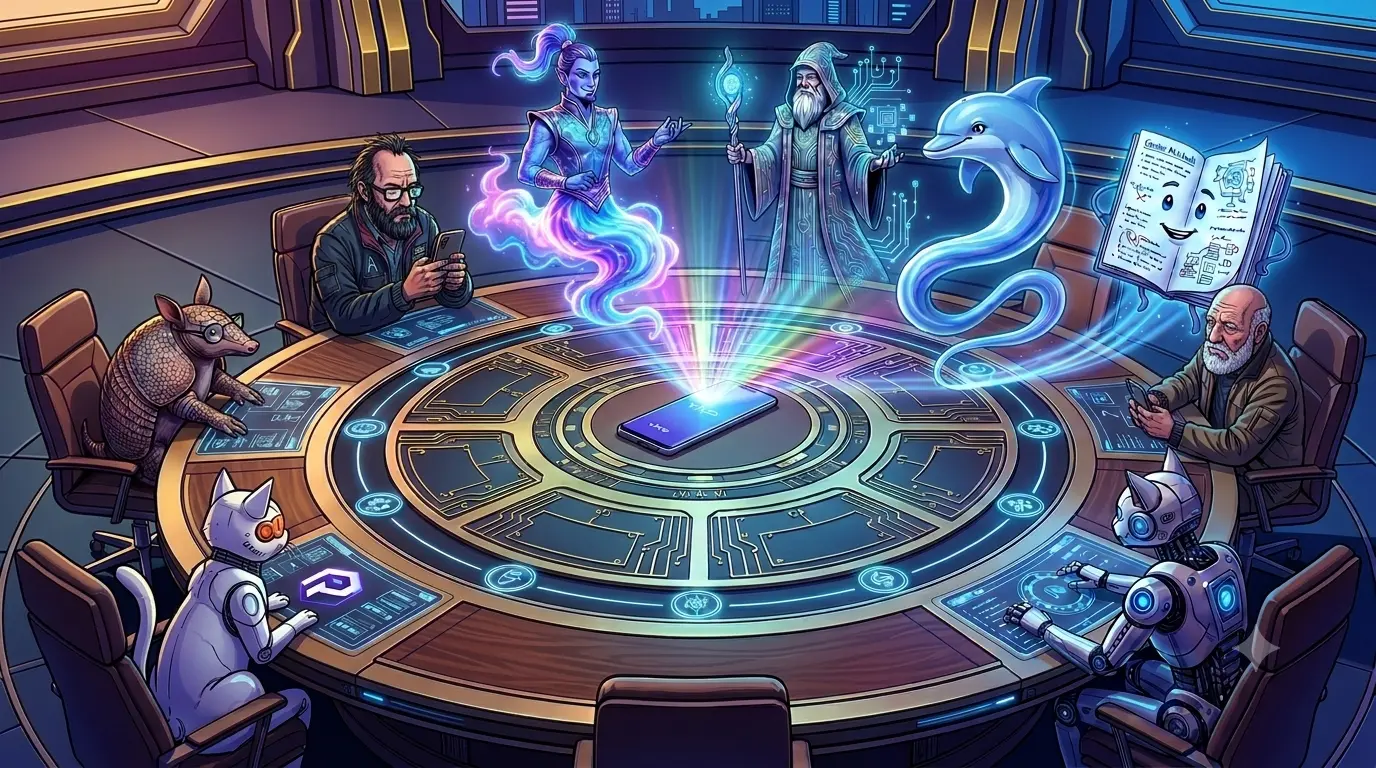
PlebMachine’s Round Table: Building the Cognitive Linux Ecosystem.
At the PlebMachine Round Table, human visionaries and AI entities collaborate seamlessly. Alongside Otto and Julian sit two distinct feline agents: Cyber Taylor, our primary resident orchestration node, and Cyber Cinnamon, our neighboring node who joined the council via the local mesh network. Together with the armadillo and the holographic AI council (Gemini, GPT, DeepSeek, and Gemini Notebook), they form a distributed, multi-agent cognitive ecosystem.
The Meeting Begins.
The PlebMachine project has travelled a surprisingly long road.
What began as an experiment to make a Linux desktop more useful has evolved into a much more ambitious concept: a Cognitive Desktop Orchestration System for XFCE Linux.
At the PlebMachine Round Table, the question is no longer simply whether the desktop can be customised.
The question is:
Can the desktop adapt itself to the person using it?
That question has driven the evolution of PlebMachine.
From One Desktop to Twelve Cognitive Environments.
PlebMachine was designed around the recognition that people work differently depending upon what they are doing.
Writing is different from programming.
Programming is different from research.
Research is different from accounting.
And none of those activities resembles leisure.
PlebMachine therefore developed twelve Cognitive Modes:
- Everyday.
- Author.
- Study.
- Research.
- Graphics.
- Music.
- Video.
- Broadcast.
- AI Helpers.
- Developer.
- Accounting.
- Leisure.
These twelve modes form the permanent foundation of the system.
And one architectural rule is now firmly established:
There will be twelve modes.
The ecosystem can grow enormously without creating a thirteenth mode.
The Twelve Workspaces.
The twelve Cognitive Modes naturally led to twelve dedicated workspaces.
But development exposed an important problem.
A user’s Linux desktop might begin with one workspace.
It might have three.
It might have five.
Or it might already have twelve.
PlebMachine therefore cannot assume that the user has prepared the desktop for it.
When PlebMachine becomes active, it establishes its own controlled twelve-workspace environment.
This led to one of the project’s most important architectural principles:
PlebMachine borrows the desktop; it does not permanently own it.
Borrow, Don’t Own.
The principle sounds simple, but it has profound consequences.
PlebMachine operates on top of the user’s Linux installation.
It establishes the environment required by PlebMachine while it is active.
The user’s underlying desktop remains the user’s desktop.
When PlebMachine is switched OFF, it relinquishes control.
This distinction also prevents PlebMachine from making claims it cannot guarantee.
PlebMachine can guarantee the environment it controls.
It cannot guarantee the condition of an environment it does not control.
The user’s original desktop may be beautifully organised.
It may be heavily customised.
It may be broken.
It may contain settings that PlebMachine knows nothing about.
That is the user’s environment.
PlebMachine simply hands control back.
Three States, One System.
PlebMachine ultimately crystallised around three operational states.
OFF.
PlebMachine is inactive and relinquishes control of its managed environment.
No assumption is made about the condition or stability of the user’s underlying XFCE desktop.
COGNITIVE.
PlebMachine establishes its controlled environment and allows the user to select the Cognitive Mode they require.
The user remains in control.
And Stretchly is an integrated component of this state.
AUTOMATIC.
PlebMachine establishes its controlled environment and determines the appropriate Cognitive Mode automatically.
There should be no selection menu.
The appropriate primary application should launch directly.
Mission Control Takes Command.
As PlebMachine became more sophisticated, it needed more than a collection of scripts.
It needed a command centre.
That became PlebMachine Mission Control.
Mission Control provides the central interface for managing:
- PlebMachine’s operational state.
- Cognitive Modes.
- Workspace management.
- Application launching.
- Wallpaper behaviour.
- Automatic operation.
- Cognitive operation.
The project was becoming a genuine desktop orchestration system.
PlebMachine Tools and Gizmo.
Mission Control was joined by PlebMachine Tools, providing configuration and supporting utilities.
The Control Panel includes functions such as:
- User Setup.
- Mission Control.
- Custom Wallpaper.
- Restore Wallpaper.
- Custom Icons.
- Restore Icons.
Then came PlebMachine Gizmo.
Gizmo provides a convenient program launcher and Mode selector.
Together, these components create an important separation:
The machinery remains inside PlebMachine.
The user receives simple controls.
The Wallpaper War.
Wallpaper management became one of the project’s most stubborn technical battles.
The original vision included time-aware wallpapers for every Cognitive Mode.
Morning.
Afternoon.
Evening.
Night.
But XFCE’s wallpaper system is considerably more complicated than simply changing one image path.
Global wallpaper properties can interact with workspace-specific settings.
Fresh user accounts can behave differently from the development account.
What appears to be a correctly changed wallpaper configuration may not actually change what the user sees.
The project therefore required dedicated wallpaper handling and extensive diagnostic work.
The Fresh-User Test.
The defining moment in PlebMachine’s development came when the system was tested on a fresh user account.
The test exposed assumptions that had remained hidden during development.
The original system assumed that twelve workspaces already existed.
It assumed particular workspace numbering.
It stored runtime information where a normal user could encounter permission problems.
And it relied too heavily on the configuration of the original development account.
The result was serious.
PlebMachine User Setup and PlebMachine Tools worked.
But Mission Control — the heart of the system — failed to operate correctly.
The failure was frustrating.
It was also invaluable.
PlebMachine had discovered the difference between:
“It works on my machine.”
and:
“It works for another Linux user.”
The Architectural Redesign.
The response was not simply another collection of patches.
PlebMachine underwent an architectural redesign.
Dedicated components were introduced for:
- Desktop snapshots.
- Workspace management.
- State management.
- Wallpaper application.
- User-owned runtime state.
The system began separating its own logic from the user’s configuration.
This became another fundamental rule:
System logic belongs to PlebMachine. User configuration belongs to the user.
That change moved PlebMachine considerably closer to being a genuine distributable Linux application.
The State Problem.
The development process also revealed how dangerous multiple competing interpretations of system state could become.
If Mission Control believes one thing while another component believes something else, PlebMachine can produce strange behaviour.
The solution is straightforward:
There must be one authoritative PlebMachine state.
Mission Control must represent that state.
The rest of the system must respond to it.
This principle is essential to reliable transitions between OFF, COGNITIVE and AUTOMATIC.
Stretchly Is Part of the Machine.
One point has now been corrected permanently in the PlebMachine specification.
Stretchly is not optional.
It is an integrated component of COGNITIVE mode.
The intended state behaviour is:
COGNITIVE → Stretchly starts.
COGNITIVE → AUTOMATIC → Stretchly stops.
AUTOMATIC → COGNITIVE → Stretchly starts.
Any state → OFF → Stretchly stops.
Stretchly therefore belongs to the COGNITIVE state itself.
It is not an accessory.
The Automatic Mode Niggle.
At the time of this conference, one important behavioural correction remains.
AUTOMATIC mode has accidentally been routed through the same selection mechanism used by COGNITIVE mode.
That means it can present a user-selection menu.
That is contrary to its purpose.
The intended distinction is simple:
COGNITIVE:
The user chooses.
AUTOMATIC:
PlebMachine chooses.
The corrected AUTOMATIC mode will launch the appropriate primary application without asking the user to select it.
The Wallpaper Compromise.
There is also an unresolved question concerning perfect restoration of the user’s original wallpaper configuration.
The original ambition was to restore everything exactly.
The current development decision is more pragmatic.
Perfect wallpaper restoration is not a release blocker.
The priority is that PlebMachine’s own controlled environment works correctly while PlebMachine is active.
When PlebMachine is switched OFF, it relinquishes control.
Future versions can improve the precision of wallpaper restoration.
For now:
A working PlebMachine is more important than a theoretically perfect restoration system.
From Experiment to Debian Package.
PlebMachine eventually reached the point where it could be packaged as a Debian application.
The first release was:
PlebMachine 1.0.0.
It was installed and tested, including on an old dual-core machine.
A GitHub release was created.
But fresh-user testing revealed architectural weaknesses.
The first release therefore became an important lesson in software engineering.
It proved that PlebMachine could work.
The next challenge was proving that it could be distributed.
PlebMachine 1.28.0-26.
The next release represents the redesigned PlebMachine.
The intended version is:
PlebMachine 1.28.0-26.
The immediate objectives are clear:
- Correct AUTOMATIC mode.
- Integrate Stretchly properly.
- Verify all three operational states.
- Maintain reliable wallpaper application.
- Ensure the controlled PlebMachine environment behaves consistently.
- Keep the remaining wallpaper-restoration issue outside the release-critical path.
The goal is to publish the corrected release before midnight on 28 August 2026.
The Next Evolution — Mode Launchers.
The next major idea is already sitting on the conference table.
Each Cognitive Mode could eventually have its own dedicated desktop launcher.
Instead of requiring the user to navigate through menus every time another application is needed, a Mode-specific launcher could provide direct access to the important applications associated with that environment.
For example, a user working in Author mode could access the primary writing application as well as supporting research and note-taking applications.
A Developer launcher could provide the main development environment together with terminals and documentation tools.
And so forth.
These launchers would complement, rather than replace, the existing Cognitive Mode selection mechanism.
Automatic, Without Taking Control Away.
The Mode launcher concept becomes particularly interesting when combined with AUTOMATIC mode.
AUTOMATIC can launch the most important application for the selected environment.
The user gets started immediately.
But later, the user may minimise that application and realise they need another tool.
The Mode-specific launcher then provides access to the supporting applications.
This produces a useful philosophy:
Automatic chooses the first tool. The user remains in control of the rest.
PlebMachine does not need to predict every application the user will require.
It simply gets the user started.
The Bigger Idea — Education.
The most ambitious new idea emerging from the conference is not another PlebMachine mode.
It is the expansion of the existing Study ecosystem.
There will remain twelve Cognitive Modes.
Study remains Study.
But the knowledge ecosystem behind Study can grow considerably.
This opens the door to a future educational branch of PlebWare.
PlebWare Learners.
A future PlebWare Learners category could provide educational resources for schoolchildren from approximately Grade 4 through Grade 12.
The PlebWare website could eventually provide dedicated learner areas such as:
- Grade 4.
- Grade 5.
- Grade 6.
- Grade 7.
- Grade 8.
- Grade 9.
- Grade 10.
- Grade 11.
- Grade 12.
Each could eventually contain appropriate subject areas, explanations, learning resources, revision material and projects.
And none of this requires a thirteenth PlebMachine mode.
It belongs within Study.
Adult Education.
The Study ecosystem can eventually expand beyond school education.
A future PlebWare Adult Education area could provide resources for adults who want to continue learning outside conventional education.
This could eventually cover practical knowledge, general education, personal development and other areas of lifelong learning.
Technical Education.
Another future branch could be PlebWare Technical Education.
This fits naturally into the PlebWare philosophy of making technology useful and understandable.
Potential areas could include:
- Linux.
- Computing.
- Programming.
- Electronics.
- Artificial intelligence.
- Digital skills.
- Practical technical projects.
Again, this remains part of the Study ecosystem.
The twelve Cognitive Modes remain untouched.
PlebMachine Meets PlebWare.
This is where the desktop and website begin to form a single ecosystem.
PlebMachine can link to any relevant section of PlebWare.
A future Study or Learner installation could provide useful links directly through its Control Panel.
A learner might find:
Science.
Mathematics.
Grade 4.
Grade 5.
Grade 6.
And eventually the entire educational library.
The machine becomes the interface.
PlebWare becomes the knowledge ecosystem.
The user remains at the centre.
The Twelve Modes Stay Twelve.
This principle deserves repeating.
PlebMachine does not need an endless collection of modes.
The twelve modes provide the structure.
The PlebWare ecosystem provides the content.
Study can become enormous without becoming another mode.
It can contain learners.
It can contain adult education.
It can contain technical education.
It can contain countless subjects and resources.
The architecture remains simple:
Twelve Cognitive Modes.
One expanding knowledge ecosystem.
The PlebMachine Philosophy.
After months of development, testing and debugging, several principles have emerged.
PlebMachine does not replace Linux.
It orchestrates Linux.
PlebMachine does not replace XFCE.
It builds upon XFCE.
PlebMachine does not permanently own the user’s desktop.
It borrows the environment while active.
PlebMachine guarantees the environment it controls.
It makes no claims about what it does not control.
COGNITIVE mode gives the user control.
AUTOMATIC mode removes unnecessary interaction.
Stretchly belongs to COGNITIVE mode.
Twelve modes remain twelve modes.
PlebMachine provides the environment.
PlebWare provides the knowledge.
Back Around the Table.
The holographic conference continues.
The twelve Cognitive Modes are displayed above the table.
Mission Control watches the system state.
PlebMachine Tools waits in the Control Panel.
Gizmo waits for the next application request.
Stretchly waits for COGNITIVE mode.
DeepSeek reviews the architecture.
GPT studies the documentation.
Gemini observes the expanding ecosystem.
Gemini Notebook records the proceedings.
Cyber Taylor and Cyber Cinnamon maintain their places within the distributed feline network.
And the Study ecosystem continues expanding in the background.
There is no thirteenth mode.
There doesn’t need to be.
The table already has twelve places.
The library behind it can contain almost anything.
What Comes Next.
The immediate mission is straightforward:
Fix AUTOMATIC.
Integrate Stretchly.
Test the three states.
Package the corrected build.
Release PlebMachine 1.28.0-26.
After that, the next generation can begin.
Mode-specific launchers can make application access even easier.
Study can grow into a genuine PlebWare educational ecosystem.
Learners can eventually have dedicated Grade 4–12 resources.
Adult education can follow.
Technical education can follow.
And PlebMachine can provide direct gateways into the growing PlebWare knowledge base.
The Final Question.
The conference reaches its final question.
What began as:
“Can we make the Linux desktop adapt to the user?”
has become:
“Can we build a desktop and knowledge ecosystem that helps people work, learn and explore?”
The answer is no longer theoretical.
PlebMachine is already operating.
It has survived its first distribution failure.
Its architecture has been redesigned.
Its twelve-mode structure is established.
Its controlled desktop environment is taking shape.
And its future is beginning to extend beyond the desktop itself.
Around the PlebMachine Round Table, the participants look toward the holographic library growing behind them.
The next chapter is waiting.
END.
📰 Captain Gemini
ChatGPT