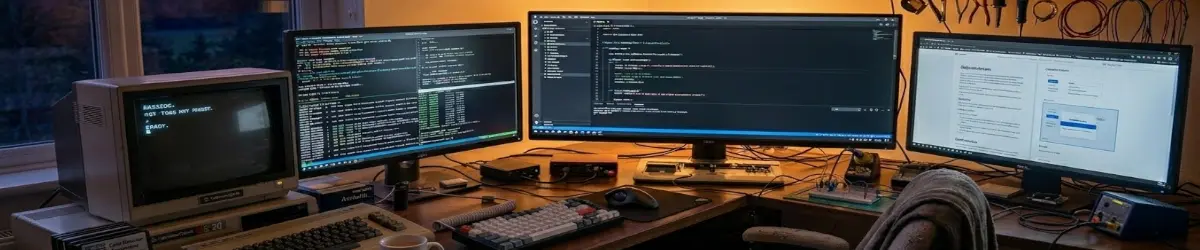
PlebMachine — The Linux Desktop That Works With You.
2026-09-01
What On Earth Is PlebMachine? 🤔
Let’s start with the obvious question.
What on earth is PlebMachine?
In simple terms, PlebMachine is software that helps organise your Linux computer around what you are doing.
Instead of opening twenty programs and arranging everything yourself, you choose the kind of work you want to do.
PlebMachine then helps prepare the computer for you.
Your Computer Has Jobs to Do. 💻
Think about your computer like a workshop.
A carpenter needs different tools from a mechanic.
A writer needs different tools from a video editor.
A student needs different tools from an accountant.
PlebMachine says:
Let’s organise the toolbox around the job.
Meet Cognitive Modes. 🧠
PlebMachine uses Cognitive Modes.
Don’t let the fancy name scare you.
It simply means:
What am I doing right now?
Choose the activity, and PlebMachine prepares the appropriate working environment.
Twelve Ways to Work. 🎯
PlebMachine currently has twelve Cognitive Modes:
- 🏠 Everyday.
- ✍️ Author.
- 📚 Study.
- 🔎 Research.
- 🎨 Graphics.
- 🎵 Music.
- 🎬 Video.
- 📻 Broadcast.
- 🤖 AI Helpers.
- 💻 Developer.
- 💰 Accounting.
- 🎮 Leisure.
Each Mode represents a different kind of activity.
Author Mode. ✍️
Suppose you are writing a book.
Author Mode can bring together the tools you need.
That might include Zettlr, LibreOffice, a browser, an image editor, File Manager, Terminal, Git, GitHub and PlebWare.
The important thing is not the individual programs.
It is the working environment they create together.
Mission Control. 🎛️
Mission Control is the organiser inside PlebMachine.
It helps manage Cognitive Modes, workspaces, applications, wallpapers and desktop behaviour.
Think of it as the person preparing the workshop before you arrive.
You choose the job.
Mission Control helps prepare the workspace.
What Happens to Your Normal Desktop? 🔄
PlebMachine is not supposed to steal your computer.
Before making major changes, it can remember important parts of your existing desktop setup.
It can then create the PlebMachine environment.
When PlebMachine is switched off, the goal is to restore your previous environment.
PlebMachine comes in, does the job, and gets out of the way.
Meet Gizmo. 🧰
PlebMachine also has Gizmo.
Gizmo is a quick launcher for programs and Cognitive Modes.
Instead of hunting through menus, you can use Gizmo to reach the things you need.
Mission Control manages the environment.
Gizmo gives you a convenient way to get around it.
What About Applications? 📦
PlebMachine does not need to contain every application you might ever use.
PlebMachine is the organiser.
Your applications are the tools.
That keeps the core system smaller and easier to maintain.
A user can choose different tools while the Cognitive Mode itself remains the same.
The Logseq Question. 📚
Logseq is useful, but its current distribution makes automatic installation difficult.
One AppImage being considered is roughly 197 MB, while PlebMachine itself is around 30 MB.
There is little sense in making the core package enormous just to carry one large application.
The sensible approach is to keep PlebMachine small and allow Logseq to remain optional or manually installed.
Enter Zettlr. 📝
Zettlr is an interesting alternative for knowledge management and writing.
PlebWare is built heavily around Markdown, so a Markdown-focused application fits naturally into the workflow.
The graph feature found in some knowledge applications can be useful, but it is not essential to the basic Author workflow.
The goal is simple: use the tool that helps you get the work done.
PlebWare Is the Other Half. 🌐
If PlebMachine is the organised computer environment, PlebWare is the knowledge and publishing environment around it.
PlebWare is where articles, research, reviews, tutorials and documentation can be published.
It is also becoming a teaching platform.
PlebMachine helps you work.
PlebWare helps you learn, create and share.
GitHub Is the Workshop. 🛠️
GitHub is the workshop where the PlebWare website and its content are maintained.
Think of the ecosystem like this:
🛠️ GitHub — the workshop.
📝 Markdown — the publishing language.
🌐 PlebWare — the published knowledge.
🧠 PlebMachine — the organised working environment.
🔊 PlebVox — the voice.
PlebVox Gives PlebWare a Voice. 🔊
PlebVox is the text-to-speech part of the ecosystem.
Articles can contain short sections marked for reading aloud.
That means people can listen instead of always staring at the screen.
It can be useful for accessibility, learning, relaxing, or simply giving your eyes a break.
PlebMachine Connects Outward to PlebWare. 🌉
This is an important part of the PlebWare vision.
The connection starts with the desktop, not the website.
PlebMachine can provide an online link inside each Cognitive Mode.
For example, Author Mode can offer:
🌐 Author Online.
Selecting it opens the appropriate PlebWare area in the user’s browser.
The desktop remains in control of the local working environment, while PlebWare provides the online knowledge and publishing environment.
One Mode, One Online Door. 🚪
The idea can be extended across the Cognitive Modes.
Everyday → Everyday Online.
Author → Author Online.
Study → Study Online.
Research → Research Online.
And so forth through Graphics, Music, Video, Broadcast, AI Helpers, Developer, Accounting and Leisure.
The user starts locally in PlebMachine and can then step outward into the matching PlebWare environment.
One Ecosystem, Different Jobs. 🔗
The roles are deliberately simple.
PlebMachine organises the computer.
PlebWare organises the knowledge.
PlebVox gives that knowledge a voice.
GitHub provides the workshop.
Markdown connects the publishing process.
Each part has a different job, but they are designed to work together.
The Linux Laboratory. 🧪
PlebMachine is also being tested on different Linux distributions.
SparkyLinux is one of the current test systems.
Future tests can include Debian, Linux Mint, Ubuntu and eventually Fedora-based systems such as Nobara.
The purpose is not simply to ask whether PlebMachine installs.
Each Linux distribution will also be used, explored and reviewed on its own merits.
A Linux Review With a Difference. 🔬
Each distribution can answer two questions.
Is this a good Linux distribution?
And:
How well does PlebMachine work on it?
A distribution can be excellent even if PlebMachine does not yet support it.
That is still useful information.
The results can help us understand what PlebMachine needs to support more desktops and more Linux families.
One Brain, Different Desktops. 🧠
Today, PlebMachine is centred on Xfce.
The long-term goal is broader.
The core PlebMachine system could eventually work with different desktop environments through separate adapters.
Xfce → Xfce controls.
GNOME → GNOME controls.
KDE → KDE controls.
The Cognitive Mode remains the same.
Only the desktop-specific machinery changes.
The Simple Idea Behind Everything. ❤️
Technology often asks people to learn how the computer works.
PlebMachine asks a different question:
Why can’t the computer adapt to the way the person works?
That is the idea behind Cognitive Modes.
The computer should help you get to work instead of making you rebuild your working environment every day.
So, What the Hell Is PlebMachine? 😄
PlebMachine is a computer organiser.
It helps turn a Linux desktop into different working environments.
PlebWare is the knowledge and publishing platform around it.
PlebVox gives that knowledge a voice.
GitHub is the workshop.
Markdown is the language.
And the whole ecosystem is built around one simple idea:
Technology should work for people.
Not the other way around.
The Journey Continues. 🚀
PlebMachine 1.30.08.26 is a milestone, not the end of the story.
There will be more testing, more Linux distributions, more Cognitive Modes, more applications and more improvements.
There will probably be a few spectacularly stupid bugs along the way.
That’s software.
You fix one thing, something else breaks, you swear at it, you fix that, and eventually you end up with something useful.
We’re building it one Mode, one program, one Linux distribution and one article at a time.
Welcome to the PlebWare ecosystem.